
Take Control of Your Reading Experience
Student reading tools that let you customize colors, breaks, and focus. Built for how you learn best.
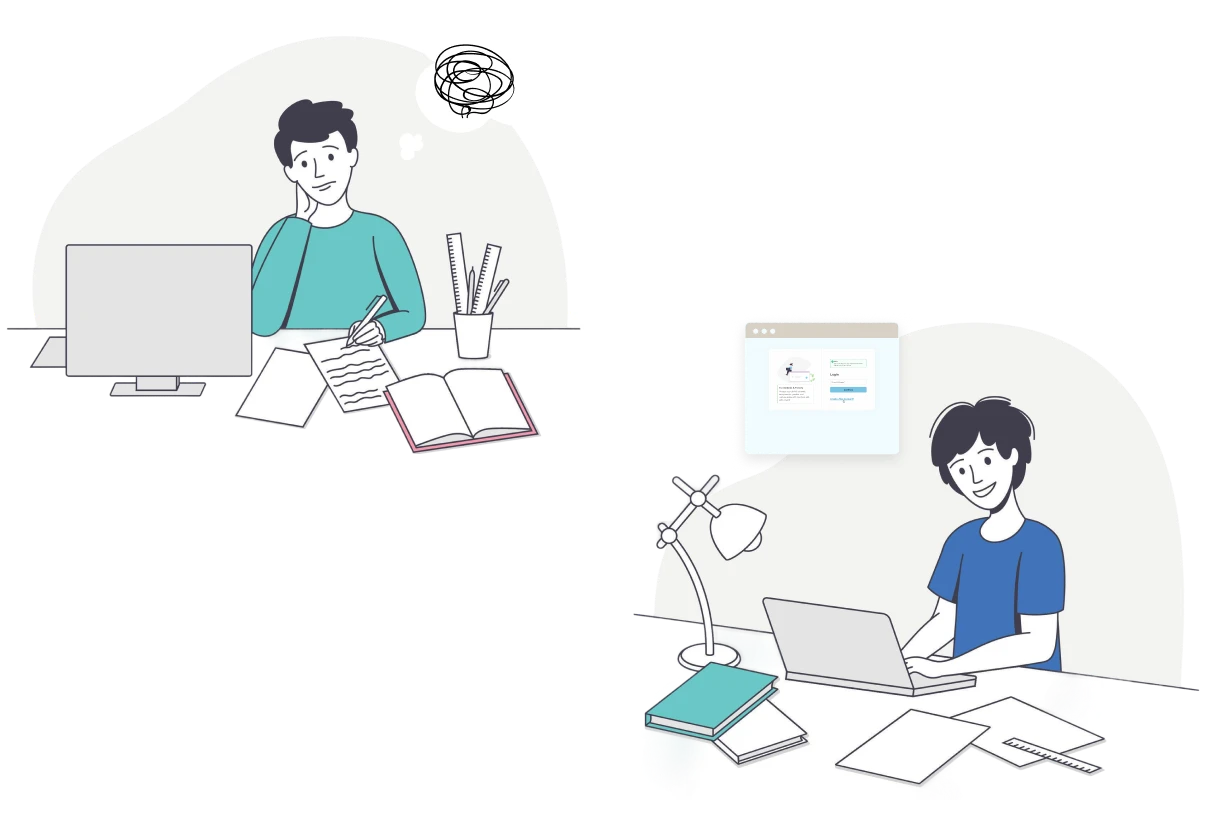
You Shouldn't Have to Fight Your Assignments
Osage Learning puts you in control with tools that adapt to how YOU learn best.
Distracting screens, assignments you can’t focus on, due dates you forget – it’s exhausting. The best study tools for middle school students with ADHD and learning differences give you control over how text looks and how you break up long assignments into manageable chunks. That’s exactly what Osage Learning does.
Your Brain Works Fine. Now Your Tools Do Too
Complete Control
Pick your colors, fonts, and focus settings instantly
Stay Organized
Manage assignments and due dates in one place
Practice & Improve
Use homework help apps with built-in tutorials and practice.
STUDENT DASHBOARD FEATURES
Everything You Need to Read Better
Personalized learning for students: Manage homework, customize settings, and build skills
Assignment Management
- View all your assignments with due dates in one spot
- Mark assignments complete as you finish them
- Sort by subject, priority, or deadline
Personalized Reading Tools
- Choose your perfect color overlay and font
- Turn Focus Mode and Break Mode on or off
- Save your favorite setting for quick access
Start Here: Learn the System
- Follow the interactive tutorial on our color highlighting method
- Learn which colors mark main ideas, definitions, and evidence
- Use this system on any text you upload
Practice Color Selection
- See grey-highlighted text and pick the right color
- Test your understanding of the highlighting system
- Build confidence identifying different types of information
Refine Your Highlighting
- Fix incorrectly highlighted passages (Fix Highlighting)
- Remove unnecessary highlights to focus on key ideas (Reduce Highlighting)
- Master targeted, effective highlighting
Full Text Practice
- Highlight complete essays using everything you learned
- Compare your work with expert highlighting
- See how your highlighting choices stack up
MADE JUST FOR YOU
Personalize Everything
This personalized learning software for struggling readers, and anyone who needs a little help, gives you control over colors, fonts, focus, and breaks. Pick what works for your brain.
Color Overlay
Choose standard, cool, or warm contrast
Fonts
Pick from dyslexia-friendly fonts like Verdana, Arial, Calibri
Font Size & Spacing
Make text bigger or adjust letter spacing
Focus Mode
Highlight one section at a time and dim distractions
Break Mode
Set breaks for every 10, 15, or 20 minutes
Reading Ruler
Adjust line tracking to help your eyes stay on target
DESIGNED FOR REAL PROGRESS
Build Confidence with Targeted Practice
Four practice modes in our learning app for students, designed to make you a stronger reader

Select Color Practice
- See text with grey highlighting that needs the right color
- Pick the correct highlight color for each section
- Get instant feedback on your choice
- Three chances to get it right before moving on

Fix Highlight Practice
- Find text that's highlighted with the wrong colors
- Click incorrect highlights and fix them
- Get immediate feedback on each correction
- Three attempts per problem to nail it
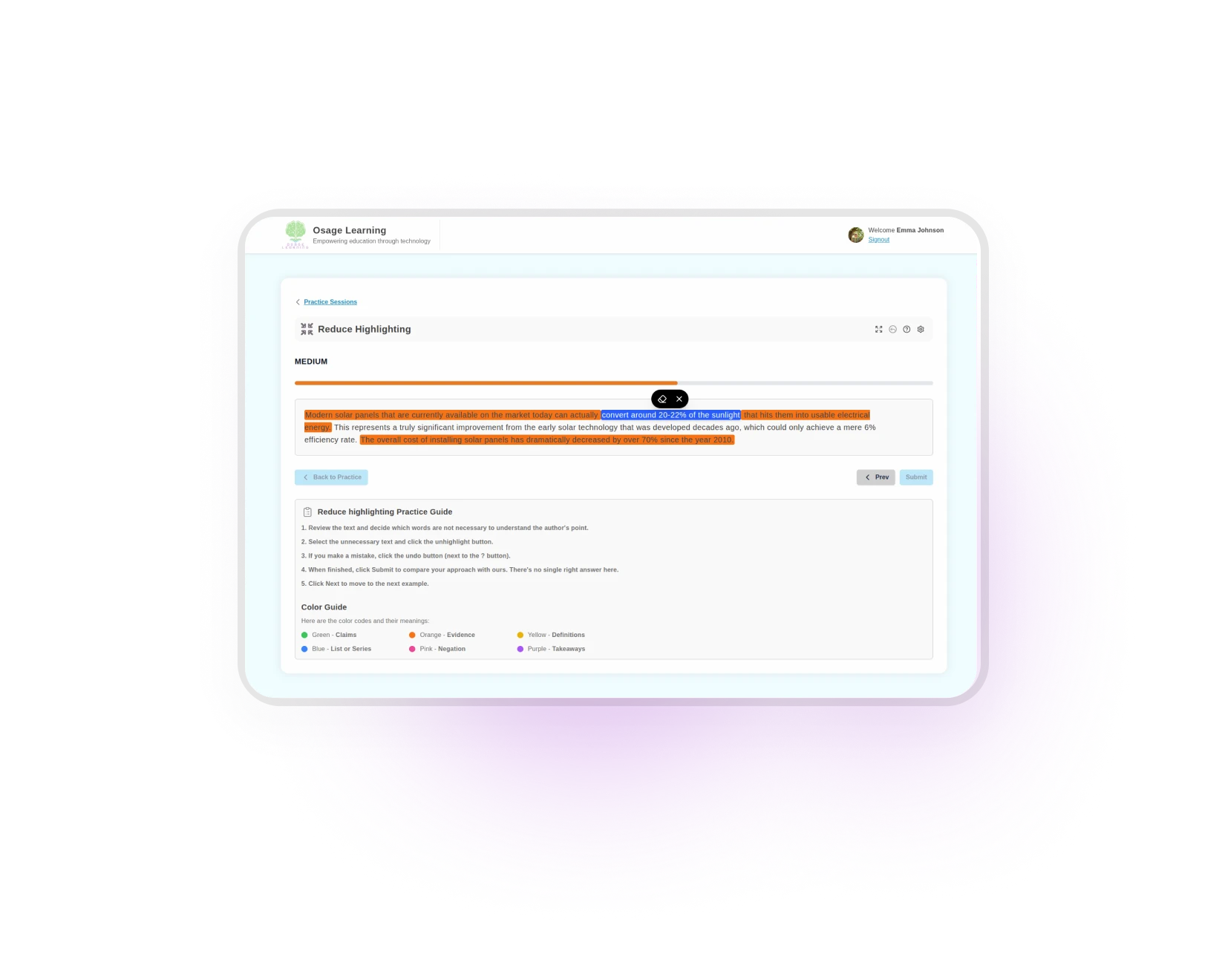
Reduce Highlight Practice
- Remove unnecessary highlights from fully highlighted text
- Cut filler words like "the" or "a" to focus on key ideas
- Compare your work to expert highlighting
- Learn what's essential vs. what's extra
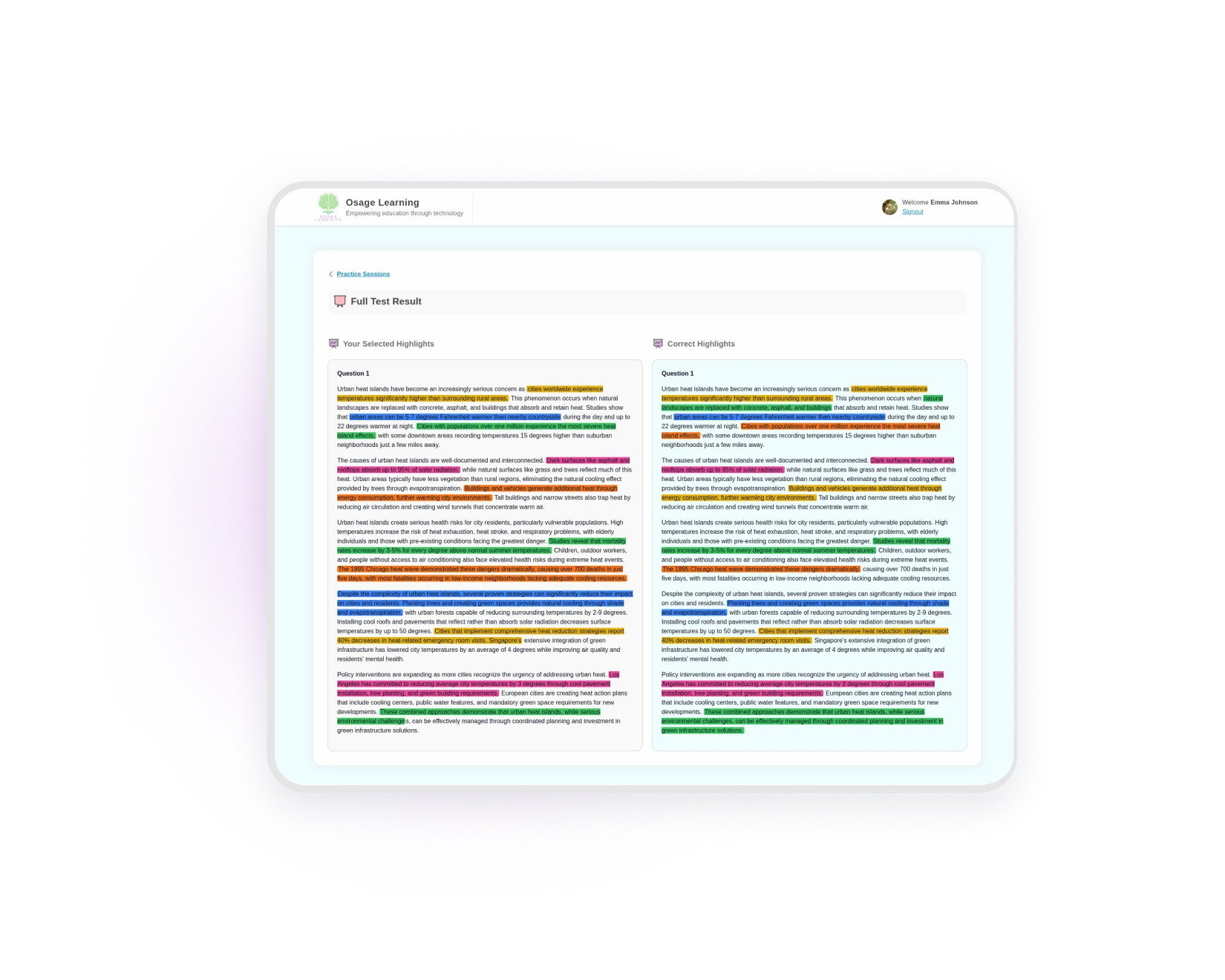
Full Test Reading Practice
- Highlight complete texts using everything you've learned
- See your work side-by-side with expert highlighting
- Get a percentage match score
- Improve your highlighting strategy over time
STUDENT TESTIMONIALS
How Other Students Are Succeeding

8th grade student with ADHD
8th grade student with ADHD
8th grade student with ADHD
8th grade student with ADHD
Start Using Osage Learning Today
1. Create Your Account
Your parent signs you up and adds your profile
2. Complete the Reading Tutorial
Learn our color highlighting system step-by step
3. Upload Your First Assignment
Add a homework assignment and practice your new skills
4. Customize & Perfect
Adjust your settings as you figure out what works best
Ready to Take Control of Your Learning?
Learning apps for students work best when you’re in charge – start reading with confidence.
*Free for 14 days – Works on all devices
Student Questions Answered
Can I use this on my school Chromebook?
Yes! Osage Learning works on any device with a web browser – Chromebooks, laptops, tablets, and desktops.
Is it hard to learn how to use?
Can I change my accommodations anytime?
Absolutely. Switch colors, fonts, Focus Mode, and Break Mode whenever you want, even in the middle of reading.
Will my parents see everything I do?
They can see which assignments you’ve completed and which accommodations you’re using, but they can’t read your actual work unless you share it.
What if I can't access my account?
Click the login link and we’ll send a magic link to your email. Just click that link and you’re in, no password needed.
Can I practice without doing assignments?
Yes! Use the practice section anytime to work on your highlighting skills, no assignment needed.
How do I know what assignments are due?
Check your dashboard to see all assignments with due dates. Sort them by deadline so you never miss one.
Can I use this for all my subjects?
Yes. Upload reading assignments from any class – English, history, science, whatever you need.
How do reading apps help students with learning disabilities?
Are these online study tools better than paper?
Online study tools let you customize everything instantly, change colors, adjust fonts, highlight digitally, and take timed breaks. With paper, you’re stuck with black text on white pages.