
ADHD Learning Tools Built for How Their Brain Works
Why ADHD Students Struggle With Reading
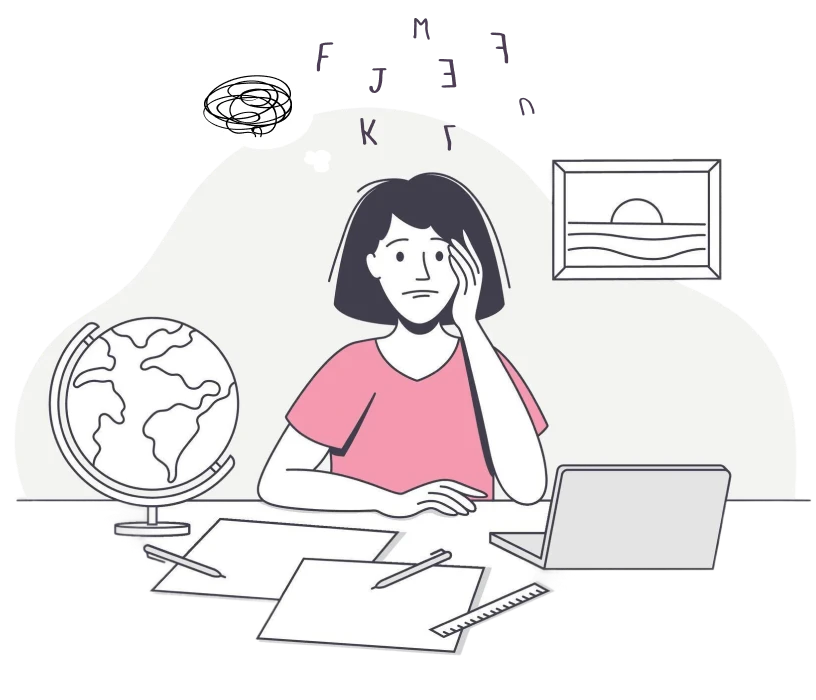
ADHD brains process information differently than neurotypical brains. Specifically, executive function deficits make it harder to filter out irrelevant stimuli and maintain sustained attention on tasks like reading. What looks like a “focus problem” is actually a neurological difference in how the brain regulates attention and manages cognitive load.
Traditional digital reading tools make these challenges worse. Cluttered screens with sidebars, notifications, and visual noise create constant competition for attention. When every element on the screen demands processing power, the ADHD brain struggles to prioritize what actually matters, the text itself. Add screen fatigue from staring at busy interfaces, and you have a recipe for homework avoidance.
The combination of executive function challenges, dopamine regulation difficulties, and cognitively overwhelming interfaces leads to a predictable pattern: students with ADHD avoid reading assignments because the experience is genuinely exhausting. They’re not being lazy or defiant. They’re protecting themselves from cognitive overload.
The solution isn’t forcing students to “try harder.” It’s providing ADHD learning tools that work with how their brains actually function, eliminating distractions, building in structure, and reducing the cognitive load that makes reading feel impossible.

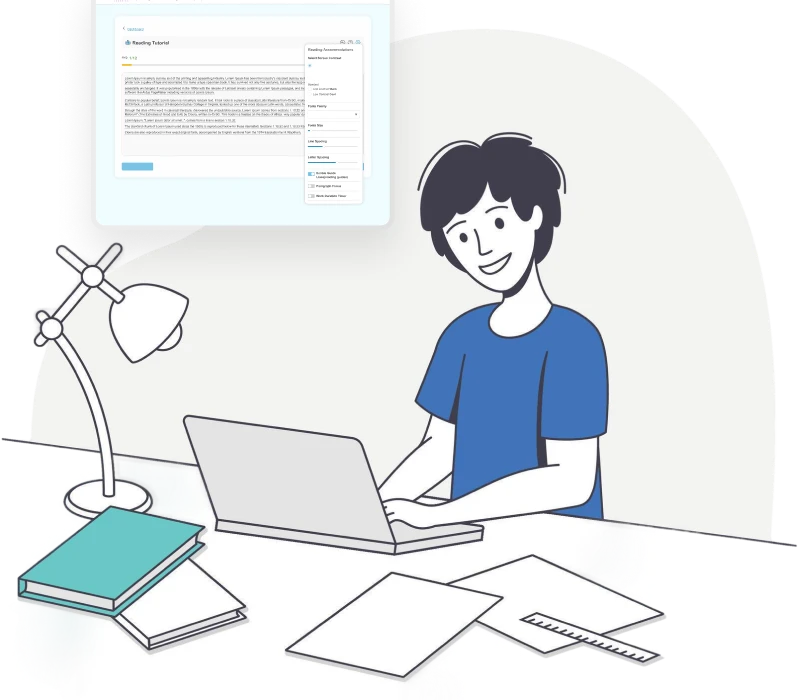
Tools Built for ADHD Learners
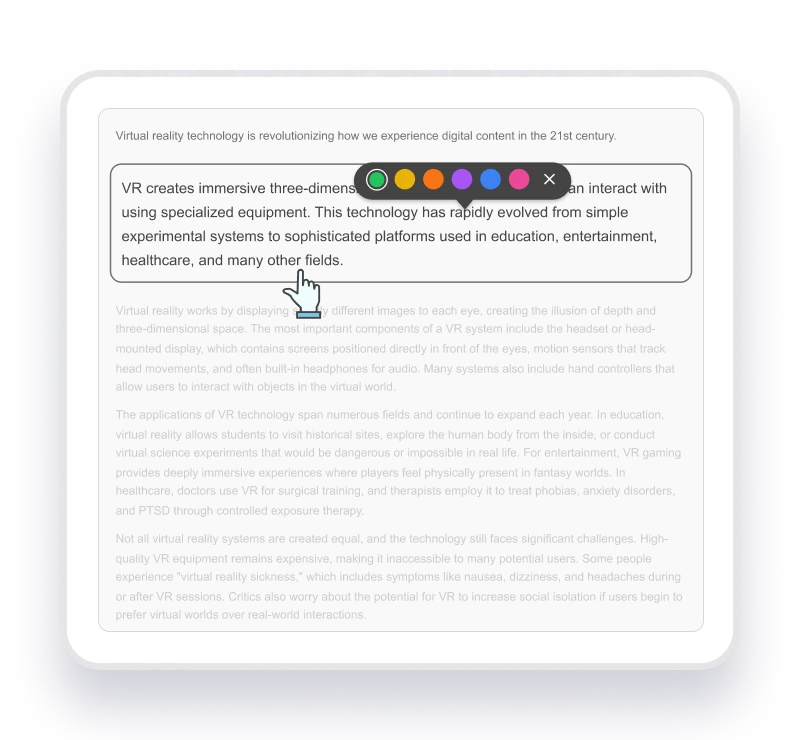
Focus Mode
- Eliminates distracting visual elements from screen
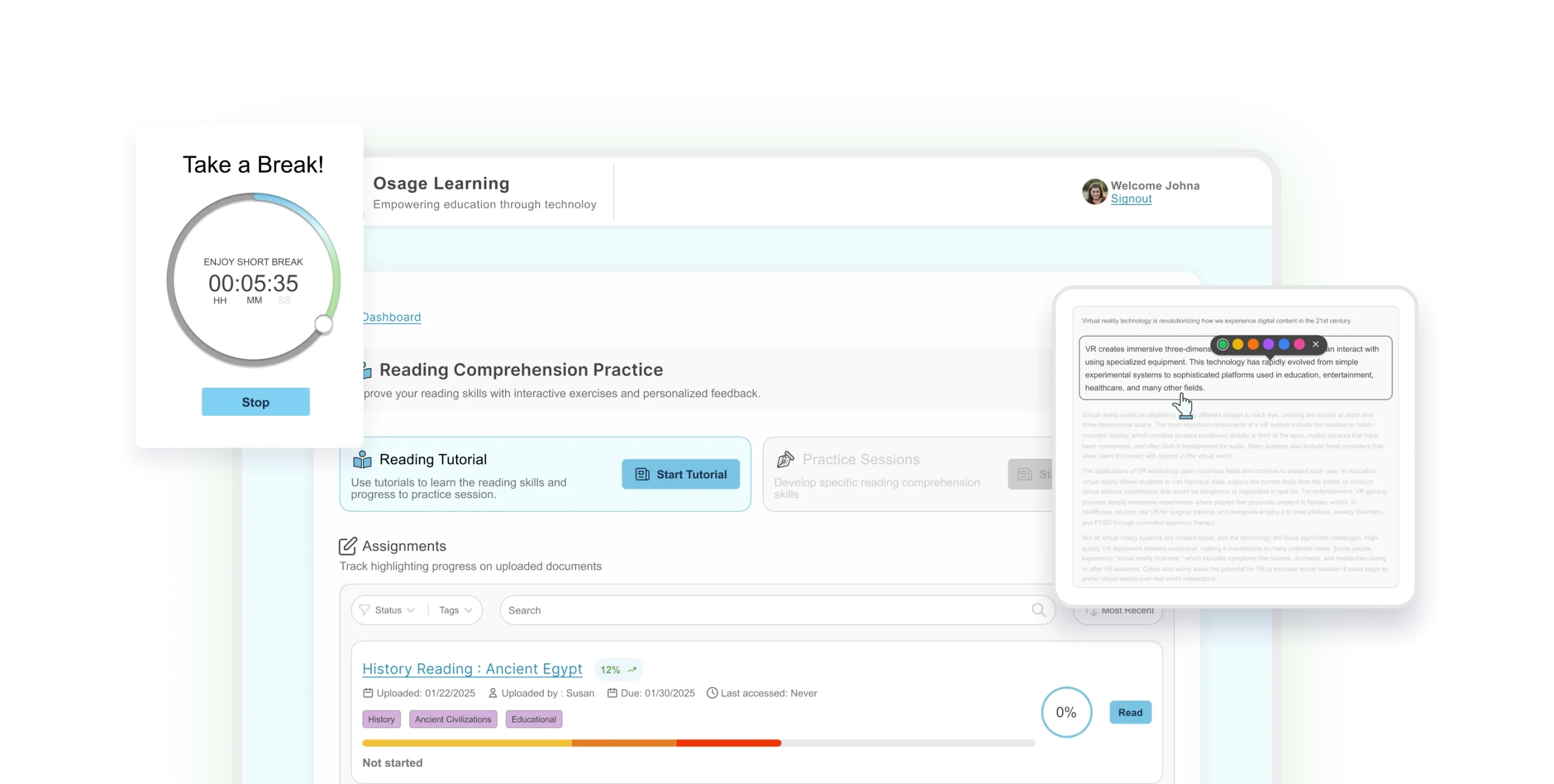
- Highlights one section at a time
- Reduces cognitive load and processing demands
- Helps students concentrate for longer periods
- Result: Better focus, faster reading completion
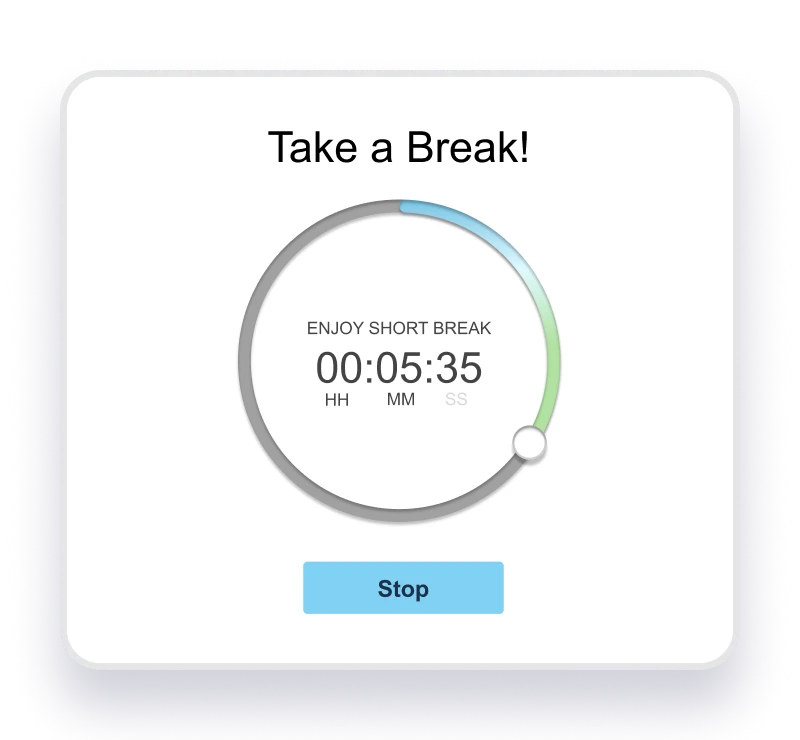
Break Mode
- Provides structured break reminders at regular intervals
- Prevents burnout and cognitive overwhelm
- Gives guilt-free permission to rest
- Maintains momentum without pushing past limits
- Result: Complete homework without meltdowns

Assignment Tracking
- Upload and organize all assignments easily
- Track due dates and progress visibility
- See last access time for accountability
- Tag assignments by subject or priority
- Result: Organized workflow, reduced executive function load
The Science Behind Our Features
The Science Behind Our Features
The ADHD brain is highly reactive to visual stimuli. Traditional interfaces show everything at once, the entire assignment, every paragraph demanding attention, creating cognitive overload. Focus Mode lets students see one paragraph at a time, dramatically reducing processing load so they can concentrate on content instead of fighting distraction.
Break Mode + ADHD
Assignment Tracking + ADHD
Executive function deficits make organization genuinely difficult for students with ADHD, it’s neurology, not laziness. Our streamlined tracking system provides clear visual organization, due dates, and progress visibility, giving ADHD brains the external structure they need to stay on task without cognitive overwhelm.
How Students Use Osage Learning
Everything you need to support diverse learners in one platformHomework Time
- Student opens reading assignment in platform
- Activates Focus Mode to see one paragraph
- Gets automatic break reminder after set interval
- Completes work faster with less resistance
- Result: Assignment completion without fighting
Reading Assignments
- Student struggles with dense textbook chapters
- Switches on color overlay and larger font
- Uses ADHD reading tools like Focus Mode
- Tracks progress visually through the assignment
- Result: Actually finishes required reading
Study Sessions
- Student needs to prepare for upcoming test
- Highlights key information while reading material
- Uses highlight-only mode to review just essentials
- Sets structured breaks to maintain focus
- Result: Organized studying with less anxiety
Independent Reading
- Student chooses books for personal interest
- Customizes reading environment to their preferences
- Works independently without parent supervision needed
- Builds confidence using self-selected accommodations
- Result: Independence and improved self-advocacy skills
PARENT TESTIMONIALS
What Parents of ADHD Students Say

mother of 7th grader with ADHD

father of 5th grader with ADHD

mother of 8th grader with ADHD
How to Get Started in 3 Steps
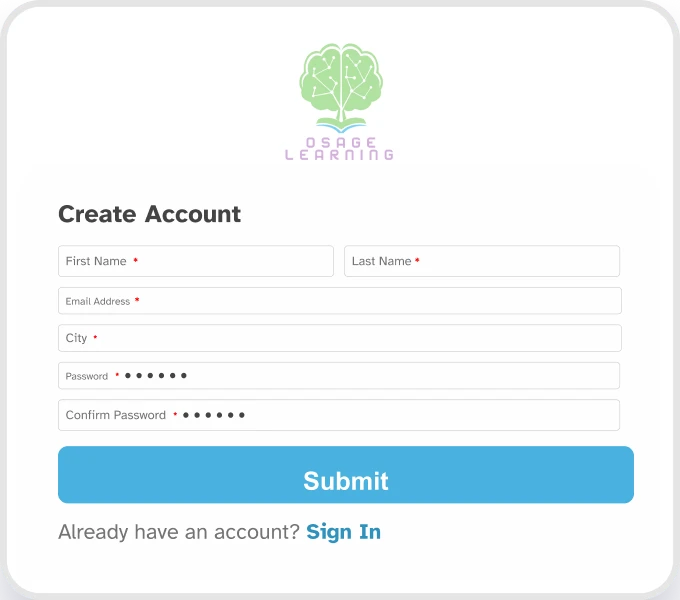
Start Your Free Trial
- Sign up with your email
- Access all practice sessions free
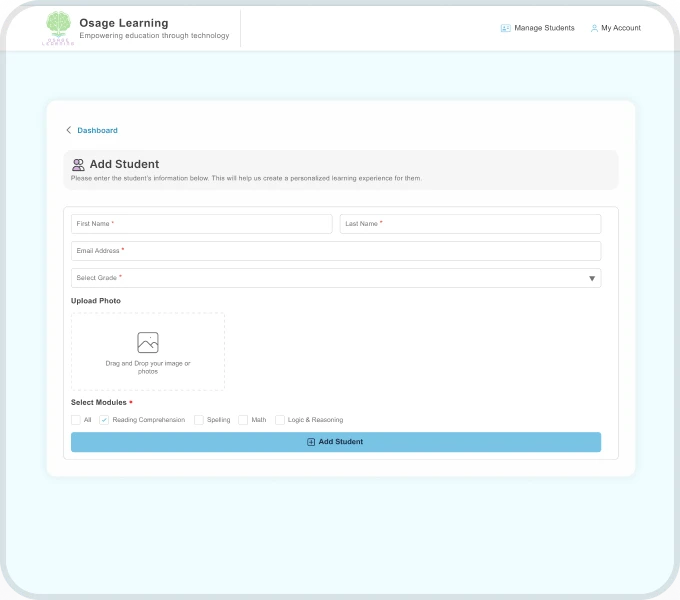
Set Up Your Child's Profile
- Choose their grade level
- Explore Focus Mode + Break Mode
- Customize colors and fonts
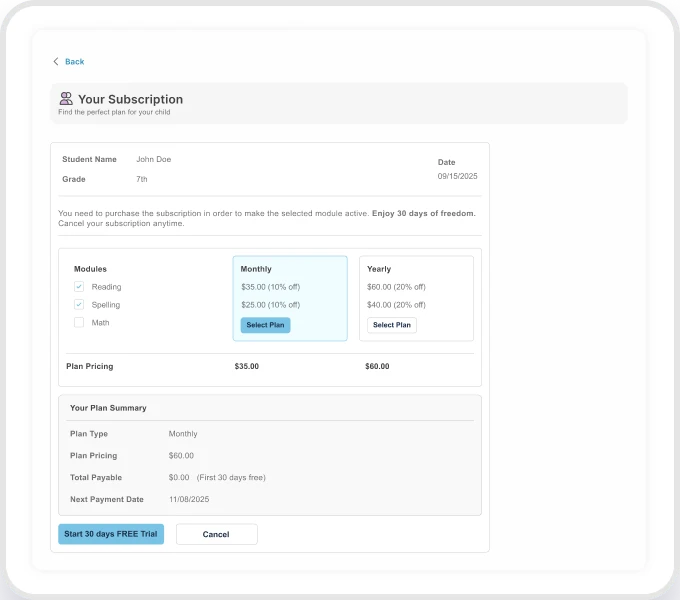
Track Their Progress
- Monitor accommodation usage
- Watch confidence grow
- Enjoy stress-free reading time
ADHD Parents Ask…
Will Focus Mode make my child feel 'singled out'?
No! Focus Mode looks like any standard reading tool, many students with and without ADHD use focus features for better concentration.
How often should my child use these tools?
As much as they want! Some students use them daily, others just for challenging assignments, it’s entirely their choice based on what helps.
Does Break Mode work for all break lengths?
Can we use this for schoolwork AND pleasure reading?
Absolutely! The tools work for any reading assignments, books, articles, or online content.
What if my child's school already provides accommodations?
Osage Learning complements school accommodations. Students can use both school tools and our platform at home for consistent support.
How does this help with test preparation?
Our tutorial and practice system teaches highlighting strategies to help digest reading material, while highlight-only mode lets students focus on key information when reviewing for tests.
Does this work for ADHD students who also have dyslexia or other learning differences?
Yes! Our best learning tools for students diagnosed with ADHD also support dyslexia, dysgraphia, and other learning differences through customizable accommodations.
Will my child become dependent on these tools?
Students build confidence and self-advocacy skills by choosing accommodations that help them succeed. That’s empowerment, not dependence.
How quickly will I see results?
Many parents notice improved homework completion within the first week, though building consistent study habits takes longer with any new tool.
What devices does this work on?
Any device with internet and a web browser, such as laptops, Chromebooks, tablets, or desktops. If you experience issues, try switching to Chrome or a different browser.
Start Your 14-day Free Trial Today
See the difference structured breaks and distraction-free reading can make in just 14 days.*14-days free trial – Cancel anytime – No long-term commitment