
Dyslexia Learning Tools That Make Reading Easier
Color overlays, dyslexia-friendly fonts, and visual accommodations designed specifically for students with dyslexia. Helping your child read with comfort instead of struggle.
- 14-day free trial
- Cancel anytime
- No long-term commitment
Why Dyslexia Makes Reading Difficult
Dyslexia affects how the brain processes written and spoken language, creating challenges that go far beyond simply “seeing letters differently.” While some people with dyslexia experience visual discomfort when reading, the core difficulty lies in phonological processing – connecting sounds to letters and decoding words.
Reading requires significant mental effort for dyslexic learners. Decoding unfamiliar words, tracking their place on the page, and maintaining comprehension all demand intense focus. This isn’t about lack of intelligence or effort – it’s about the brain working harder to do what comes automatically for neurotypical readers.
Traditional materials can add unnecessary barriers. Dense text, tight spacing, and certain fonts make an already difficult task even more exhausting. When students are already expending significant cognitive energy on decoding, poor formatting adds another layer of challenge they shouldn’t have to face.
The solution isn’t forcing students to “push through” these challenges. It’s providing tools that reduce unnecessary barriers: adjustable spacing, dyslexia-friendly fonts, customizable contrast, and tracking supports that let students focus their mental energy on comprehension instead of fighting the format.


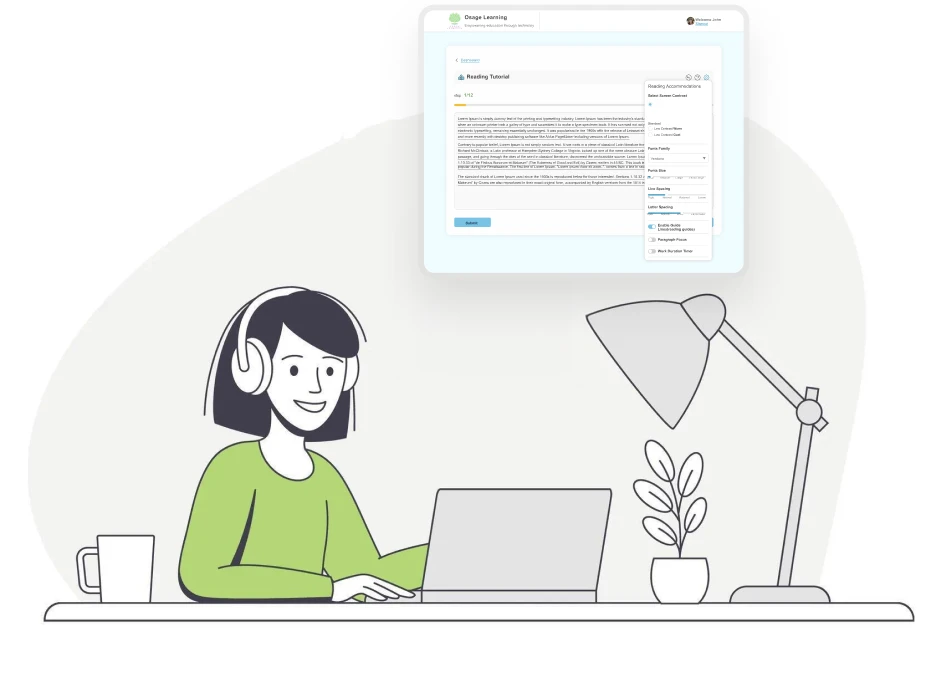
Visual Tools Designed for Dyslexic Readers
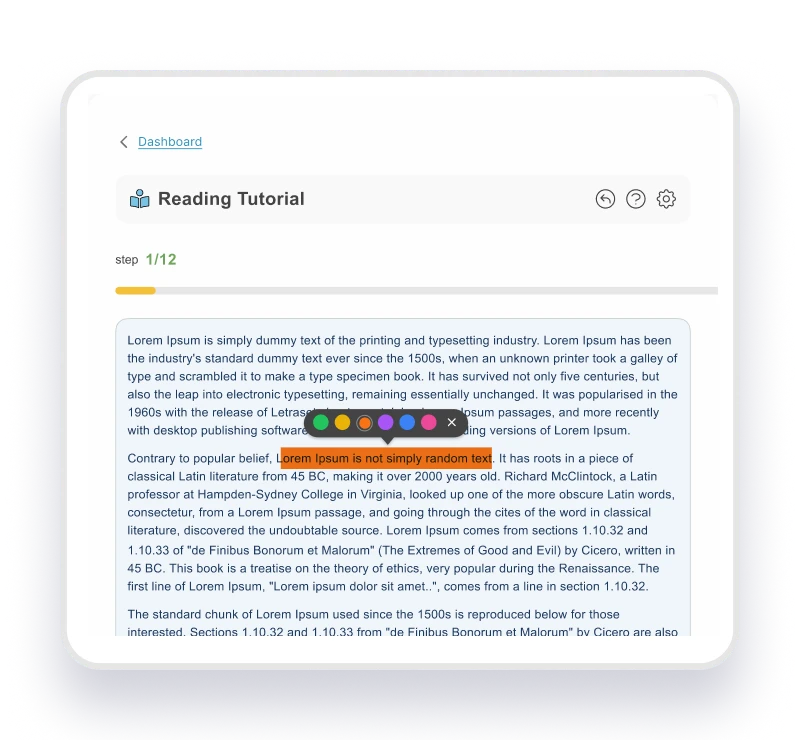
Color Overlay & Contrast
- Choose standard, cool, or warm contrast
- Reduce glare and visual stress
- Settings follow across all documents
- Customize background for comfortable reading
- Result: Reading becomes comfortable, not painful
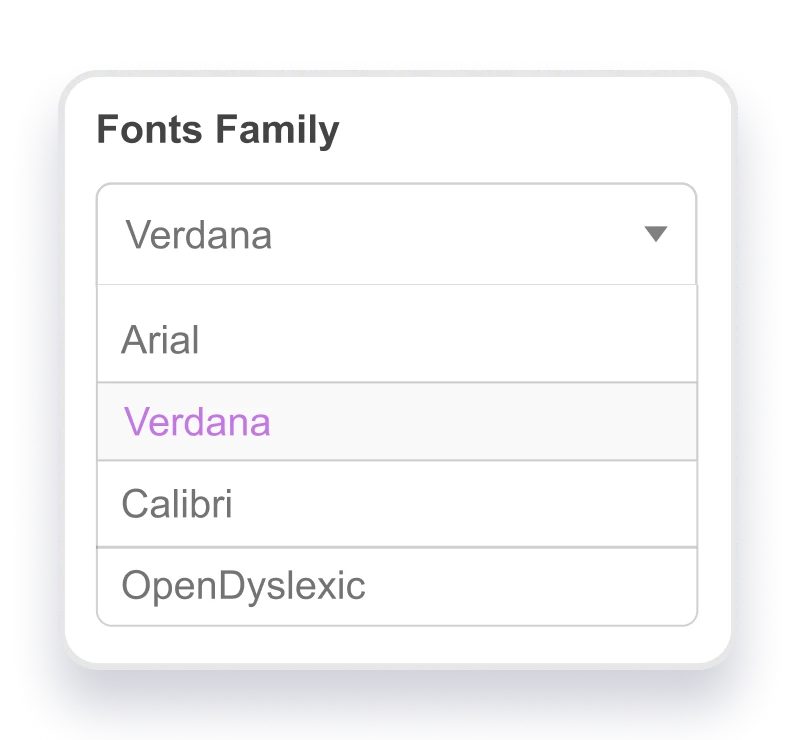
Dyslexia-Friendly Fonts
- Multiple dyslexia-friendly font options
- Adjust letter and word spacing
- Increase font sizes to reduce crowding
- Clear letterforms prevent b/d and p/q confusion
- Result: Letters stay stable, clearer reading
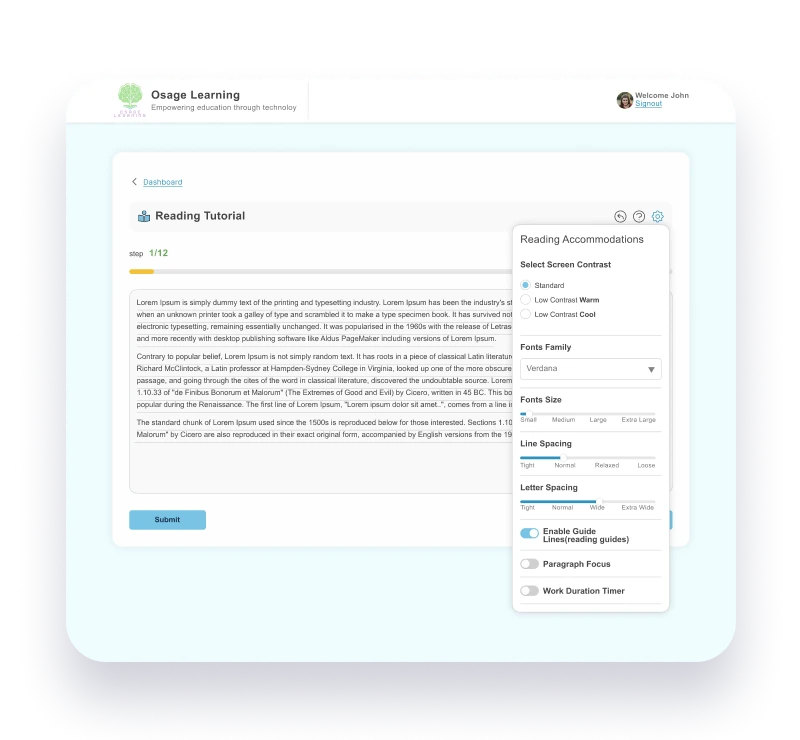
Reading Ruler & Line Tracking
- Lines appear under all text
- Anchors letters to prevent distortion
- Sits below descenders without interfering
- Helps eyes track across lines
- Result: No line skipping, better comprehension

Customizable Reading Environment
- Combine color, font, and ruler tools
- Students control their complete experience
- Settings persist across all materials
- Personalize every aspect of presentation
- Result: Empowerment, confidence, and independence
Why These Tools Help Dyslexic Readers
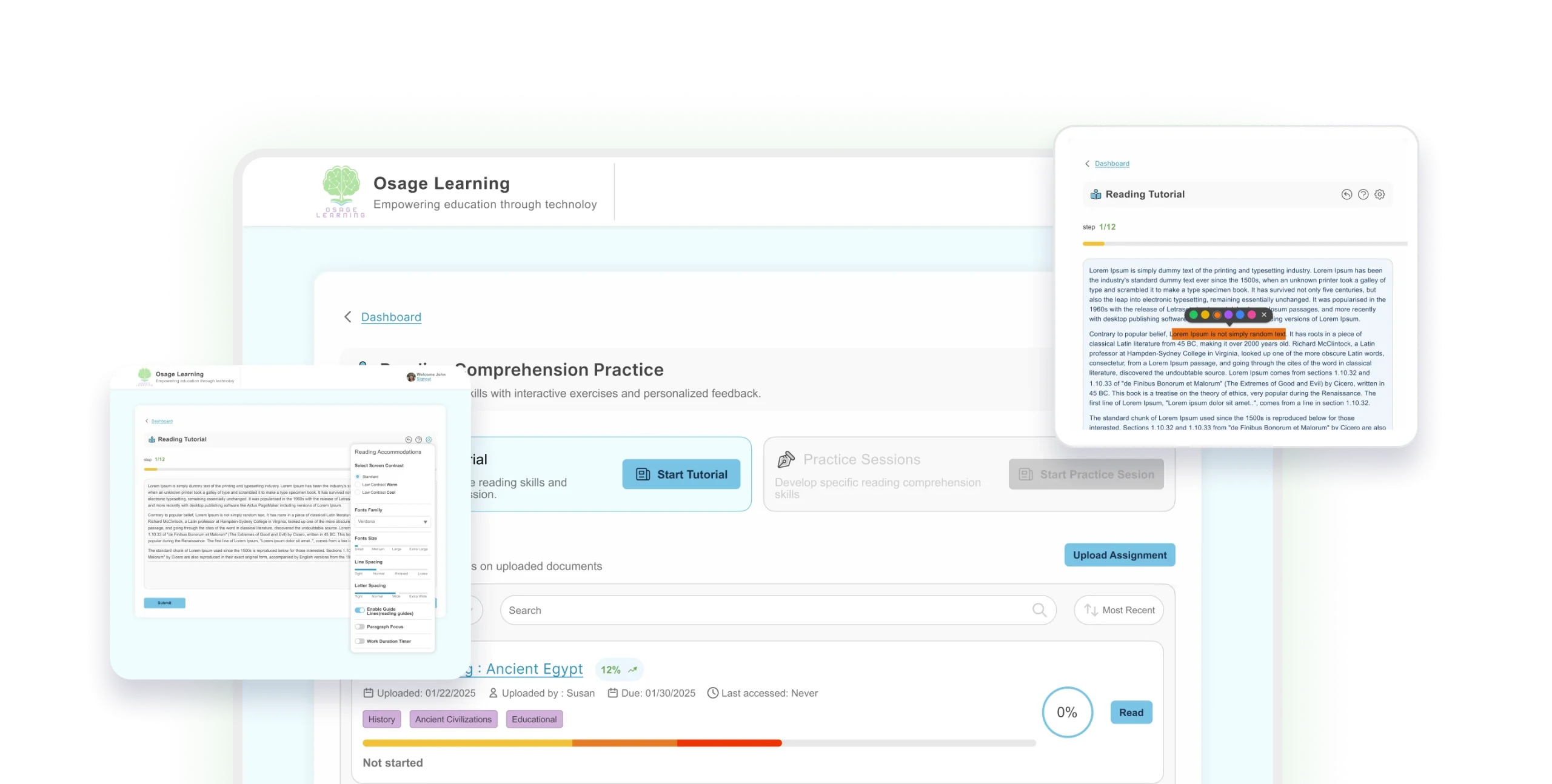
Color Overlays & Visual Stress
Some students with dyslexia find that stark black-on-white text creates visual discomfort that makes reading more exhausting. Colored overlays and adjustable contrast settings reduce this discomfort, allowing students to focus their mental energy on comprehension rather than managing visual fatigue.
Reading Rulers & Visual Anchoring
Dyslexic readers often lose their place while reading, requiring frequent re-reading of the same lines. Guide lines provide a visual anchor that helps students maintain their place on the page. They also create a consistent baseline that makes descenders (letters like g, y, and p) easier to distinguish, reducing the cognitive load of tracking and allowing students to direct more attention to understanding what they’re reading.
Customization = Empowerment
Every student with dyslexia experiences visual stress differently. Some need warm contrast overlays, others prefer cool tones or standard settings. Some benefit most from spacing changes, while others rely on baseline anchoring. Giving students control over their dyslexia assistive technology puts power in their hands, allowing them to discover what actually works for their specific visual processing needs rather than forcing one-size fits-all accommodations.
How Dyslexic Students Use Osage Learning
Reading Class Assignments
- Teacher assigns reading chapter for homework
- Student opens with warm contrast overlay
- Activates dyslexia-friendly font and reading ruler
- Reads smoothly without visual stress symptoms
- Result: Completes reading, retains the content
Independent Reading
- Student chooses books for personal interest
- Settings automatically apply from previous session
- Reads comfortably without parent supervision needed
- No struggle, just immersion in story
- Result: Develops genuine love of reading
Test Prep
- Student studying for reading comprehension test
- Uses color overlay and reading ruler
- Highlights key information during review session
- Reviews just highlighted sections before exam
- Result: Better grades through comfortable reading
Homework & Research
- Finding sources for essay assignment online
- Uploads new document, accommodations apply automatically
- Uses reading ruler to track dense text
- Saves time with reduced eye strain
- Result: Homework finished faster, less frustration
REAL VOICES, REAL IMPACT
What Families & Educators Say

mother of 6th grader with dyslexia

Special Education Teacher

7th grader with dyslexia
How to Get Started in 3 Steps
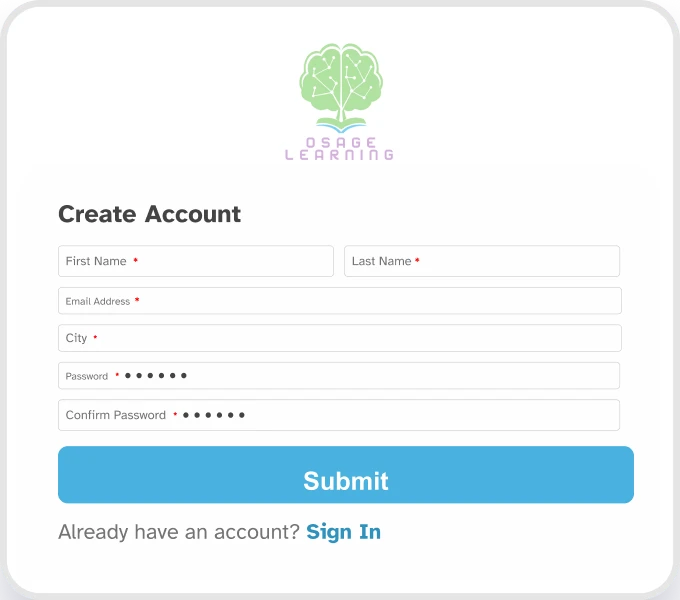
Start Your Free Trial
- Sing up with your email
- Access all practice sessions free
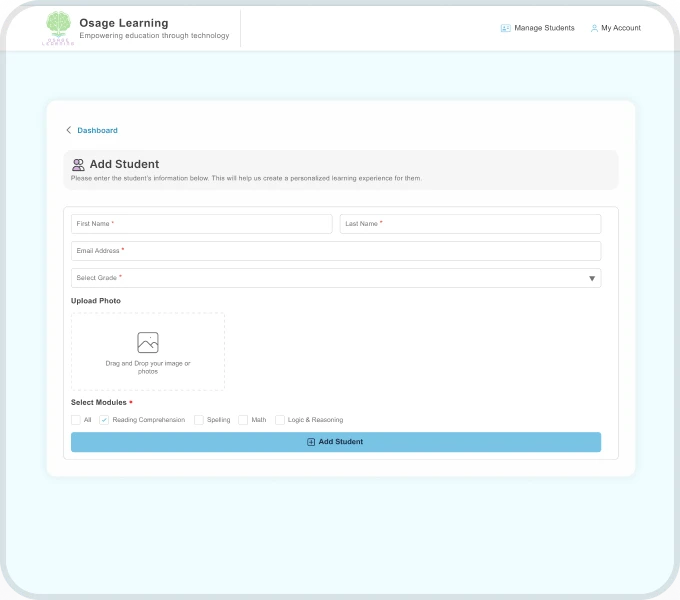
Set Up Your Child's Profile
- Try different color overlays
- Choose dyslexia-friendly font
- Adjust spacing and sizing

Track Visual
Accommodation Usage
- See comfort level improve
- Watch reading speed increase
- Enjoy reduced frustration
ADHD Parents Ask…
Will color overlays really help my child's dyslexia?
Which font is best for dyslexia?
Does this work alongside other dyslexia interventions my child receives?
Yes! The best assistive technology for students with dyslexia works together with
other supports, tutoring, therapy, specialized instruction. Our visual
accommodations complement these interventions by making the physical act of
reading more comfortable while your child builds foundational skills.
Will my child become dependent on these tools?
These are accommodations, like glasses for someone with poor vision, they level
the playing field so your child can access text comfortably. Many students adjust
their settings over time as reading becomes easier.
Can my child use this for all reading, or just schoolwork?
Use it for anything! We’ve had students upload 300-page novels from English class
and apply accommodations to read the entire book. School assignments, personal
reading, articles, online content, whatever they’re reading benefits from visual
accommodations.
How does this help with reading comprehension?
Does the school need to know my child is using this?
What if my child's dyslexia is severe?
Can I monitor which colors/fonts my child uses most?
How is this different from just changing my device's display settings?
Device settings offer basic adjustments, but our software provides dyslexia
specific accommodations, specialized contrast combinations, reading rulers that
anchor text baselines, and settings that persist across all documents
automatically. It’s purpose-built for dyslexic visual processing, not general
accessibility.
Start Your 14-day Free Trial Today
See how color overlays, dyslexia-friendly fonts, and reading rulers transform visual stress into confident reading.*14-days free trial – Cancel anytime – No long-term commitment